Goal Setting
Goal Tracking Template: How to Pick One and Actually Use It
Every January I open a fresh goal tracking template and fill it with things I really mean. Maybe a more rested body, or some money saved without me thinking about it.
Then spring shows up. Work gets loud, weekends fill, and one random Tuesday I realize I have not touched the goals that mattered most.
If that is your pattern too, it is not a discipline problem. Goals rarely fail because we are lazy. They fade because they were vague, and because busy weeks quietly bury them.
That is the whole reason a good template helps. It gives a goal a place to live, so it stays in view instead of slipping out of your week.
I built Fred because I kept losing my own goals this way. In this guide I will walk you through how to pick a template and, the harder part, how to keep using it.
What a goal tracking template actually is
A goal tracking template is a ready-made layout where you write a goal, add steps, set a deadline, and mark progress. Instead of holding the goal in your head, you keep it somewhere you can see and update.
People use one for plain reasons. It gives you clarity, it jogs your memory, it shows momentum, and it makes the next move obvious.
A goal tracker is different from a plain to-do list. A to-do list holds today's tasks and then forgets them. A goal tracker holds the bigger aim and shows how each small step moves you toward it.
There is a good reason to keep progress visible. In an American Psychological Association summary on monitoring your progress, the takeaway is simple.
The "more often that you monitor your progress, the greater the likelihood that you will succeed." They add that "your chances of success are even more likely if you report your progress publicly or physically record it."
Why tracking your goals works
Writing a goal down and recording your progress is not busywork. It quietly changes what happens next. If you want the broader habit behind the template, start with our simple guide to goal tracking.
Some of the clearest evidence comes from a review of 138 studies of almost 20,000 people. The authors studied trials that "randomly allocated participants to an intervention designed to promote monitoring of goal progress versus a control condition." Most of those goals were health related, so I hold the finding loosely.
There is a result that lands closer to home. In a study at Dominican University, one group only thought about their goals, and another group did far more.
The researchers found that "only 43 percent of Group 1 either accomplished their goals or were at least half way there." The stronger result was clear too: "76 percent of those in Group 5 either accomplished their goals or were at least half way there."
Group 5 did four things. They wrote their goals, listed action steps, shared them with a friend, and sent weekly progress reports. A template is simply the place where that recording and review can happen.
What goes into a good goal tracking template
A good goal tracking template does not need many fields. It needs the right ones, so the next step is always obvious.
| Field | What it is for |
|---|---|
| The goal | The single outcome you want, written in plain words. |
| Why it matters | Your reason, so the goal keeps its meaning on a busy day. |
| Action steps | The small moves that make the goal doable this week. |
| Due date | A date that gives the goal a gentle edge. |
| Progress marker | A simple way to see how far along you are. |
| Notes | Room for what worked and what to adjust next time. |
The field most trackers get wrong is action steps. A goal like "get fit" stalls until you break goals into steps like "walk 20 minutes after lunch on weekdays."
The SMART format most templates use
Most templates lean on the SMART format, and it is worth knowing. SMART goals are Specific, Measurable, Achievable, Relevant, and Time-bound.
Take a vague goal like "read more." Turn it SMART and it becomes "read 15 pages before bed on weekdays this month." One is a wish, and the other you can actually track.
SMART is the baseline every goal guide covers, so treat it as your starting point rather than your finish line. If you want the full breakdown, here is what SMART goals are in more detail.
A written sheet is what makes this stick. The University of Minnesota calls a goal-tracking sheet "a useful and valuable way of tracking progress and providing feedback."
Pick a template by timeframe
The right timeframe changes what your template should track. A daily sheet and a year goal setting template are not doing the same job.
| Timeframe | Best for | What to track |
|---|---|---|
| Daily | Habits and routines | One or two repeatable actions |
| Weekly | Short sprints and tasks | Steps finished and what is next |
| Monthly | Personal goals with room to reset | A few goals and their action steps |
| Yearly | Vision and big themes | Direction and the goals that ladder up to it |
For personal goals, monthly is my sweet spot. A month is long enough to see real progress and short enough to reset without guilt when life gets loud.
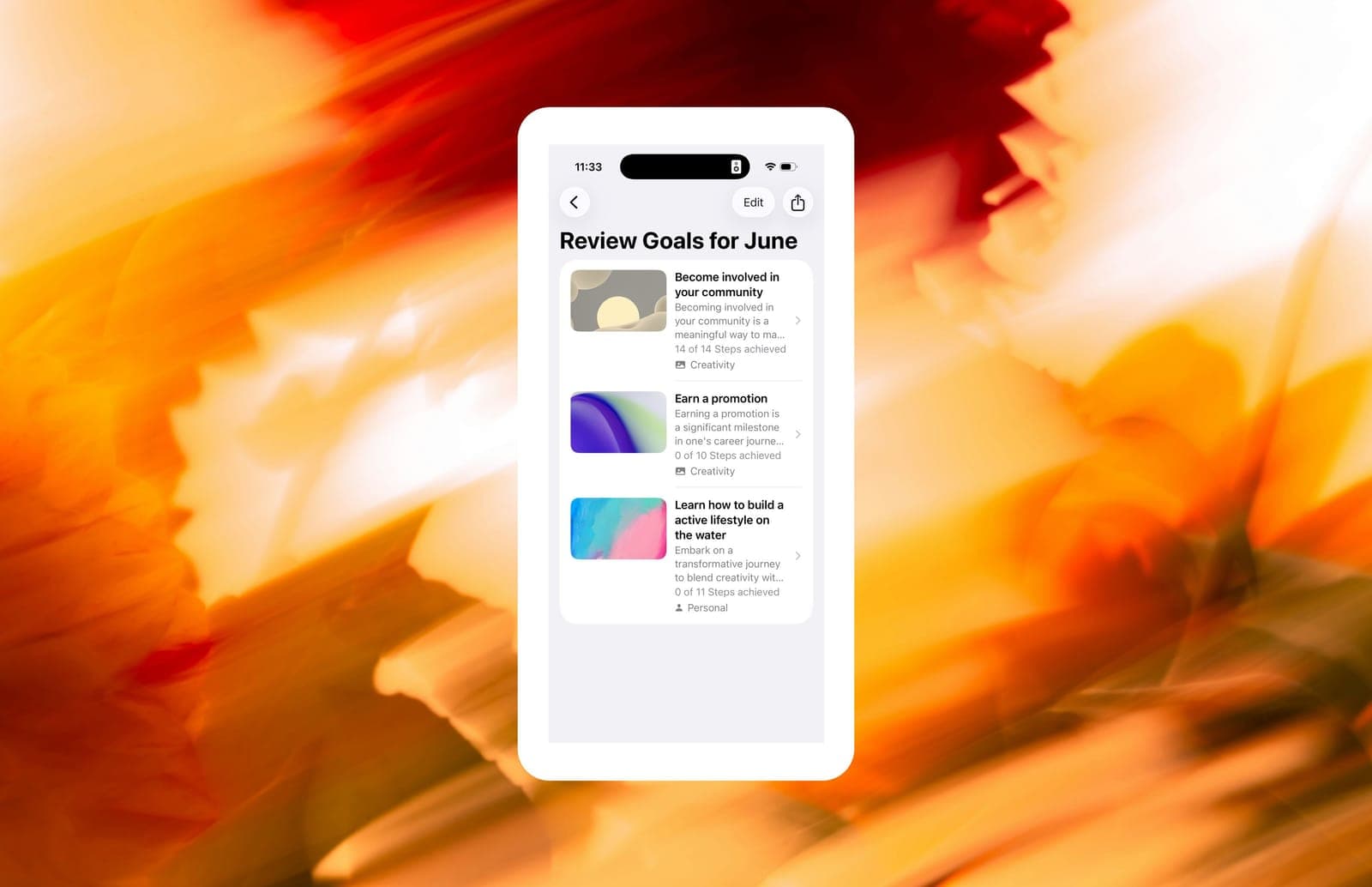
That reset matters. With monthly goal reviews, an unfinished goal does not pile up as debt, and you simply choose again what deserves the next thirty days. If you want the wider view, here is a way to plan your year and let each month carry a piece of it.
Common types of goal tracking templates
Templates come in a handful of everyday formats, and the best one is the one you will actually open.
- Spreadsheet or Excel trackers work well if you like columns, and a free goal setting template excel file is an easy start.
- Printable checklists suit people who think better on paper and enjoy ticking a box by hand.
- Category trackers keep one sheet on one area, like savings, fitness, reading, or study.
- Visual trackers use progress bars, charts, or a vision board to make progress feel real.
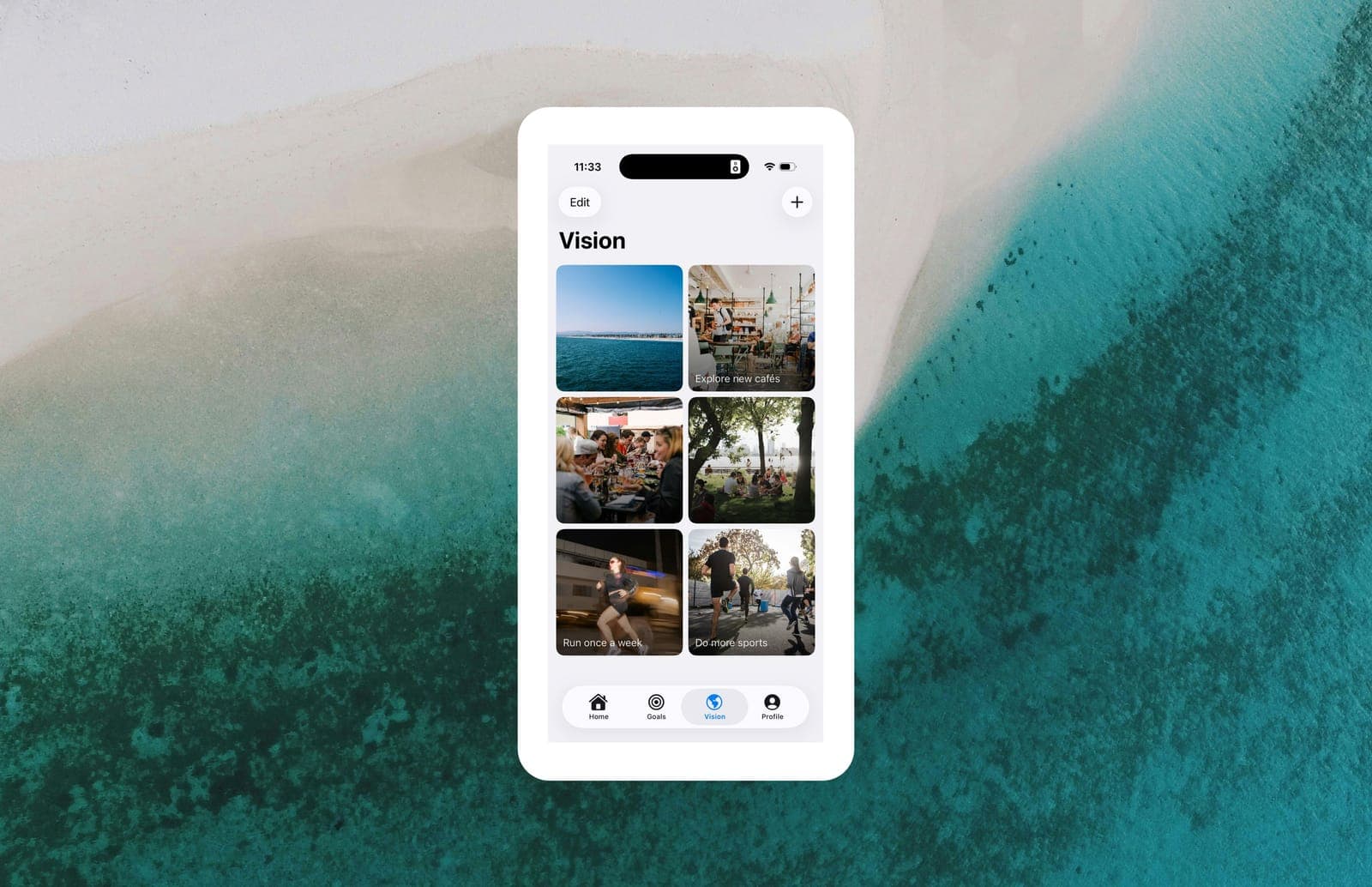
I would add one layer above the tracker: a vision board. Vision comes before goals, so the board holds the feeling you are moving toward while the tracker handles the steps. Here is why vision boards matter for keeping that bigger picture in view.
How to actually stick with your template
Picking a template is the easy part. Keeping it is where most of us slip, so here is what helps me.
- Key point: Start small. One or two goals beat a full page you will avoid by Thursday.
- Key point: Keep it visible. A template you cannot see is a template you will forget.
- Key point: Review on a set day. A simple weekly or monthly check-in beats daily streak anxiety.
- Key point: Add accountability. It is easier to keep a promise you told someone about.
That last one has research behind it. The Dominican group that pulled ahead reported to a friend every week. So when you share goals with a friend, you borrow a little of that effect.
From template to done with Fred
A paper template does two hard things for you, and a good app can do them faster. The first hard thing is figuring out the steps. The second is keeping your vision in view while you work.
That gap is why I built Fred, where you describe a goal in your own words, like "become more consistent with writing." Fred AI then suggests a set of steps you can start this week. You can adjust, remove, add, or reorder steps so the plan becomes yours.
Above the monthly cycle sits a vision board, so the life you are aiming at stays in view while you work through this month. At month end, Fred reviews the goals with you and unfinished goals become a fresh choice rather than guilt.
You can try all of this for free. Fred's free plan includes up to four goals, a vision board, and reminders. Pro is €4 a month or €40 a year if you want unlimited goals.
Conclusion
The best goal tracking template is not the prettiest one. It is the one you will open again next week.
Recording your progress is the quiet move that turns intentions into results, whether that is paper or an app. So pick one format, add one or two goals for this month, and let the rest wait.
You do not need the whole path today. You just need the next step, written somewhere you will see it.
Start tracking with Fred
If you want a simpler way to do this, come try Fred. You describe a goal, Fred turns it into steps, and a vision board keeps your bigger picture in view, all on a free plan. When you are ready, you can start setting goals in Fred today.
Frequently asked questions
The best format is the one you will open again, so match it to how you think. If you like structure, try a spreadsheet, and if you like feeling, pair a simple tracker with a vision board.
Open a blank sheet and make columns for your goal, why it matters, action steps, deadline, and progress. A free goal setting template excel file can save you the setup if you would rather not start from scratch.
Tracking keeps a goal visible and gives you feedback, which is what turns a good intention into steady progress. Recorded progress tends to lift your odds of following through.
Daily and weekly templates track habits and short tasks, while monthly and yearly ones track bigger goals and your overall direction. For most personal goals, a monthly rhythm gives you progress without the pressure of a daily streak.
The 5-4-3-2-1 method breaks a goal into layers, counting down from a five-year vision to the one thing you can do today. It is a quick exercise, though a simple template you review each month will carry you further.